Closed deal in HubSpot, project ready in ClickUp
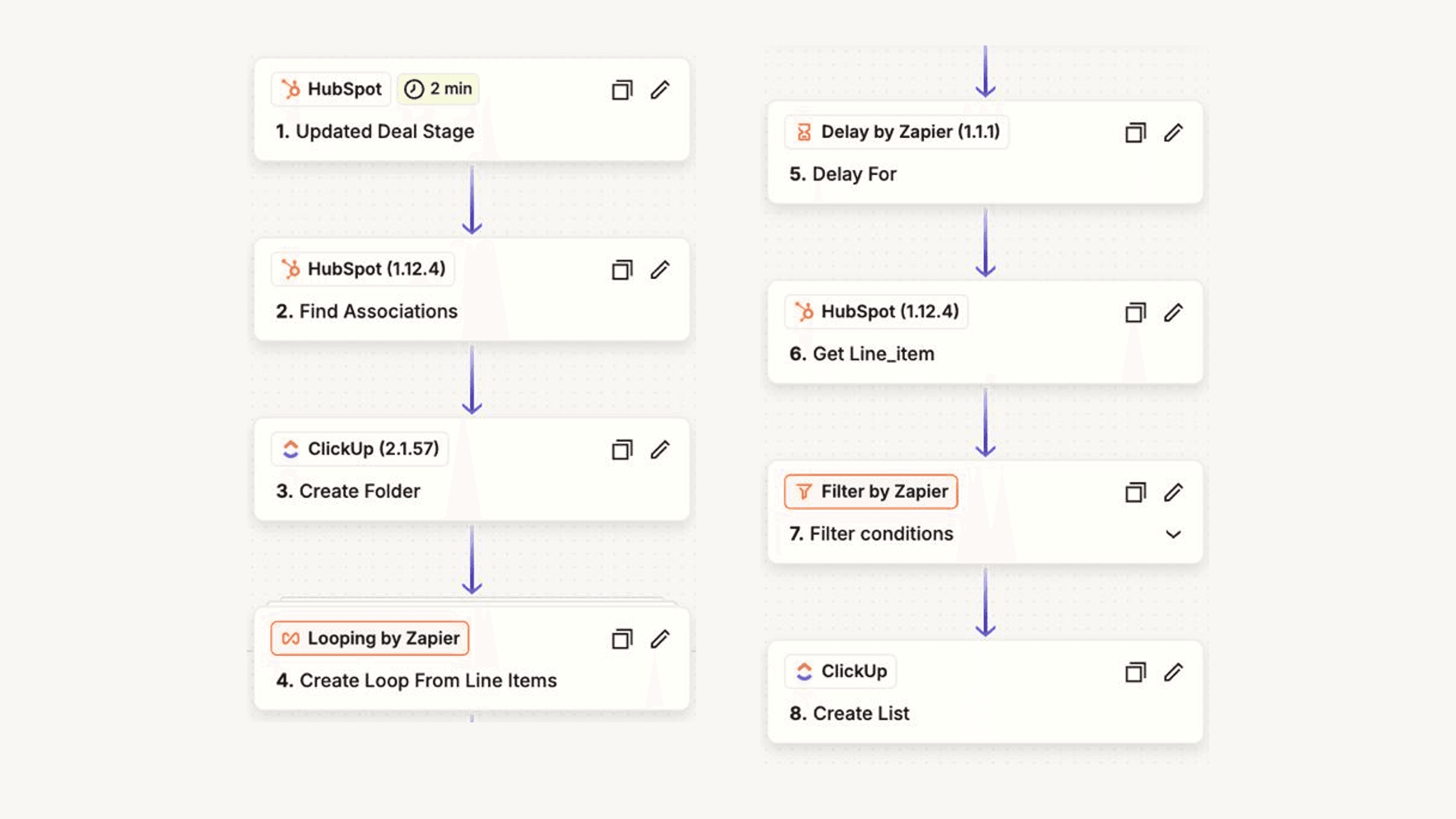
Every deal that closes has its client folder and one list per product in ClickUp a few minutes later, set up by nobody
Outcomes
- Every closed deal has its client folder and one list per product in ClickUp within minutes, set up by nobody.
- Time is tracked against the product it belongs to from day one, so the effort per product is a report, not an estimate.
- The hand-off that used to be skipped on busy weeks now runs on a Friday evening as much as on a Tuesday morning.
- 20 people on one HubSpot with dashboards over about 300 companies, and no AI needed for this part.
Challenge
Sales closed deals in HubSpot, delivery ran in ClickUp, and a person sat between the two. For every new client somebody created the folder, looked up the products on the deal, created a list per product and copied the time-tracking template into each. Clicks that took time and got skipped when the week was full, so a list had no template, a product was forgotten, or the folder appeared two days after the kick-off.
Solution
- We built an 8-step Zapier flow that watches HubSpot for deals reaching the closed stage and reads the deal's line items.
- We create the client folder in ClickUp and walk through the products one at a time, with a pause so ClickUp accepts every request.
- We give each product that needs delivery work a list from its template, with the time-tracking tasks already inside; a licence on its own gets none.
- We flow the time tracked in those lists back to the company record in HubSpot, so sales and delivery read the same numbers.
- A person still decides when a deal is closed, which products are on it, and every task inside the lists.

Paul set the flow up and we have worked with it ever since. Every closed deal is a folder in ClickUp, with the right SKU templates already inside, before anyone has to ask for it. For us that was a huge help, because it saves us a lot of time and makes our time tracking possible.